EasePage for Dynamics 365
Dashboards, data grids, and pages built visually inside your Dynamics 365 apps. No developers, no code.

EasePage is a no-code builder for dashboards, data grids, and pages inside Microsoft Dynamics 365, built visually, without developers or code.
No-code dashboards, editable data grids, and pages for Microsoft Dynamics 365, built visually, inside the model-driven app, without developers or code.
Dashboards, pages, and specialized views need JavaScript or advanced Power Apps work: weeks of dev time for what should take days.
Business teams can't self-serve. Every UI change routes through IT or a consultant, creating backlog and cost.
Native views are largely read-only, weak at inline and bulk editing, hard to tailor to how a team works.
Adoption and data quality suffer when the interface doesn't fit how people actually work.
When the interface doesn't fit how people work, CRM adoption and data quality suffer.
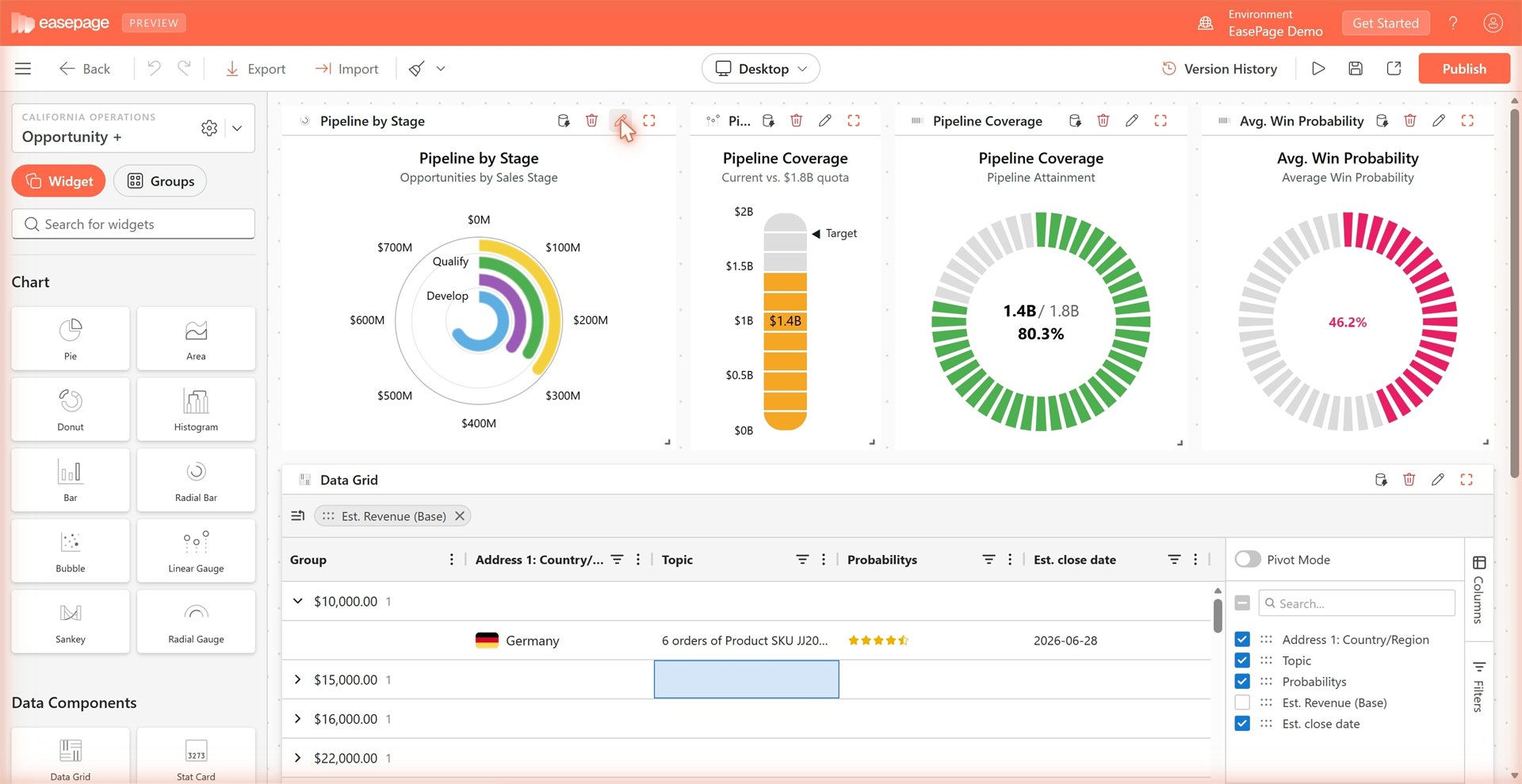
Drag-and-drop pages with layouts, sections, tabs, buttons, and reusable components, inside model-driven apps.
Inline edit, bulk update, filter, sort, and group on Dataverse records, plus pivot mode and column visualizations beyond native views.
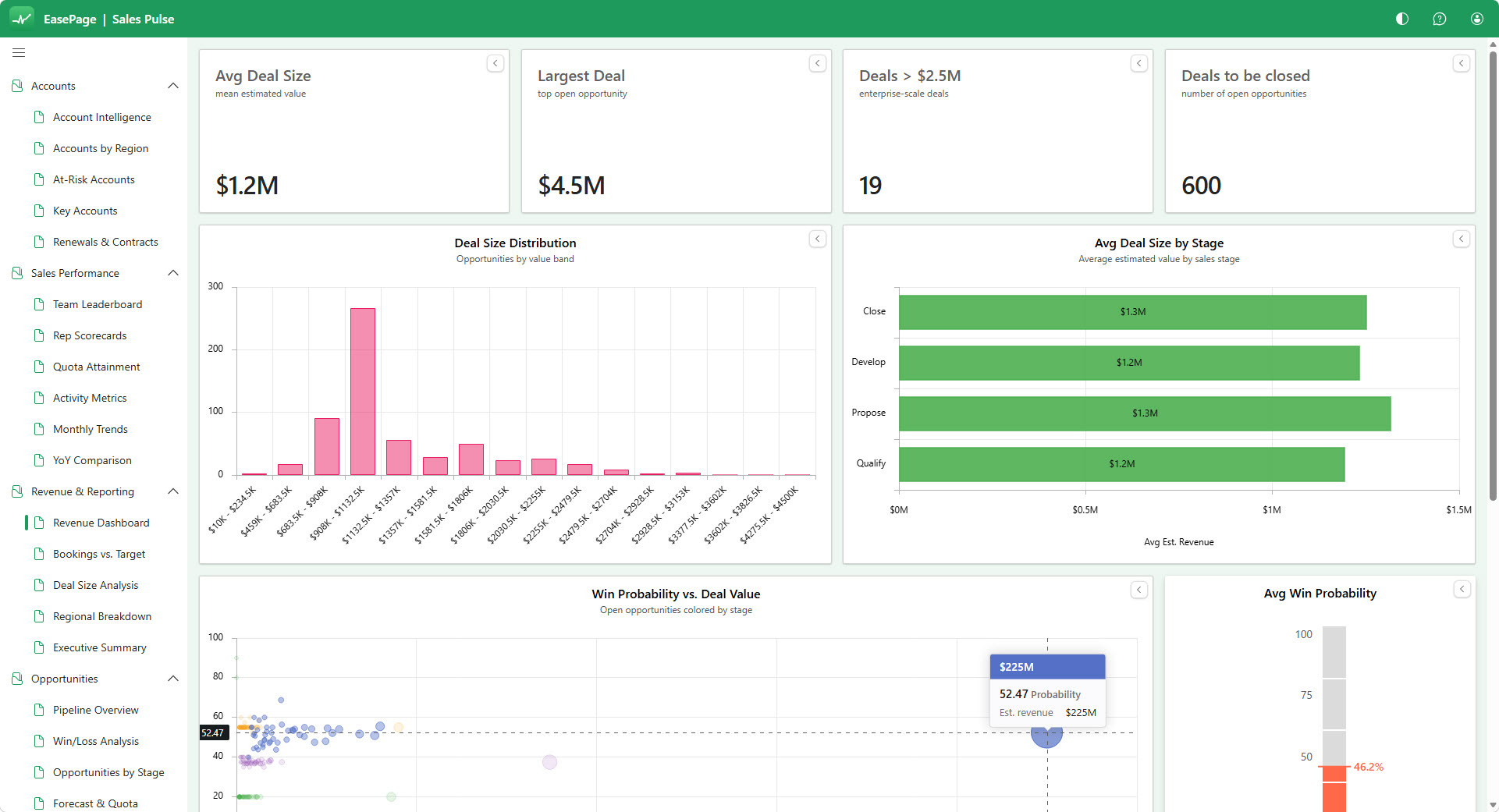
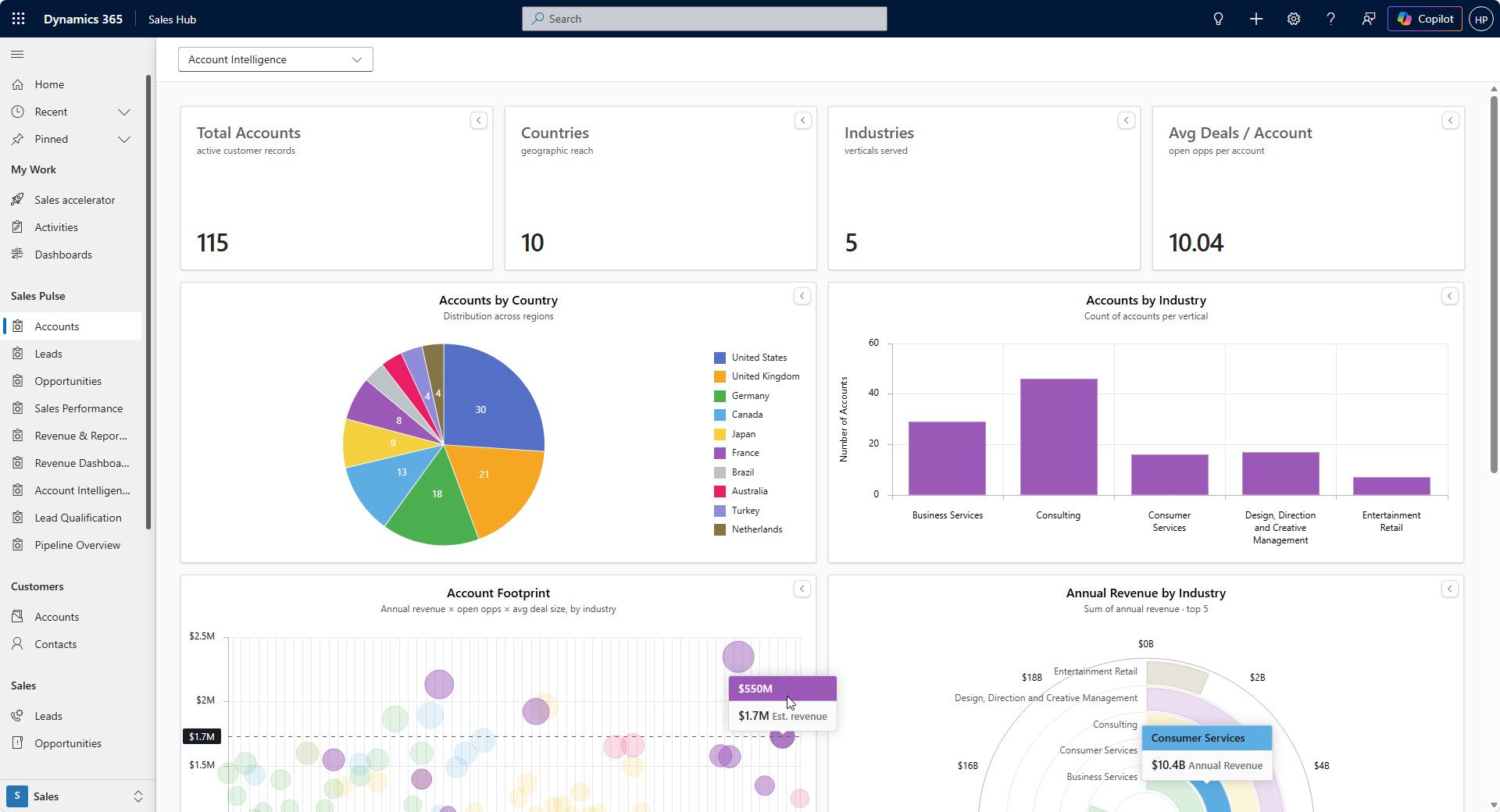
Real-time KPIs and charts pulling live from Dataverse, customizable by role or team.
EasePage enhances Dynamics 365. It does not replace D365, Power Apps, or Dataverse.
Four delivery modes from the same builder, embedded in Dynamics 365 or standalone.
Built-in version history. Viewers sign in with Entra ID and need a Dataverse license, role, and EasePage seat. Embedded pages run in the browser: Microsoft does not support iframed content behind a sign-in in the Dynamics 365 mobile and tablet apps, so use the standalone web app there.
All Dataverse queries execute under the user's own delegated Entra token. Dynamics 365 security applies to every read, for every viewer, automatically. No service account, no security model to rebuild.
Azure-hosted cloud service. Nothing is installed in your Dataverse to use the builder.
For dashboards on Dynamics data consumed by CRM users, Power BI is heavy: dataset/refresh setup, a separate app and context, and row-level security rebuilt by hand.
Power BI still wins for multi-source data and enterprise reporting. EasePage is for live dashboards inside Dynamics 365, without a Power BI project.
The page builder, editable data grids, and dashboards are available today. What's below isn't shipped yet. Each item carries its status.
Multi-column forms, tabs, conditional visibility, and field-level rules, no JavaScript.
Prebuilt Customer 360, sales pipeline, service console, and ops grid templates.
AI suggestions for layout and visualization choices, built on EasePage's own widgets.
Per selected user, per month. Pay only for the users you invite. Minimum 10 users; price steps down as your team grows.
Tiers differ on price per user and on tenants, page limit, and included onboarding hours. One-year contract, billed monthly per selected user, or pay for the year upfront and save 20%. Sold through the Microsoft commercial marketplace as a transactable SaaS offer.
Per selected user, per month. Invite only the users who get access. Bought through the Microsoft commercial marketplace as a transactable SaaS offer.
Start Free TrialPlatform features
Build smarter Dynamics 365 apps with EasePage. No coding required.
Transform raw data into insights with real-time dashboards and dynamic charts. Build pages that consolidate KPIs, metrics, and trends in one place for smarter decision-making.
Design, arrange, and personalize pages for your Dynamics 365 and Dataverse apps with a simple drag-and-drop interface. Combine grids, dashboards, charts, and forms visually, creating powerful, user-friendly pages in minutes.
Create intelligent forms with reusable sections, conditional logic, and validation rules. Capture the right data the first time and enhance accuracy across your organization.
Product tour
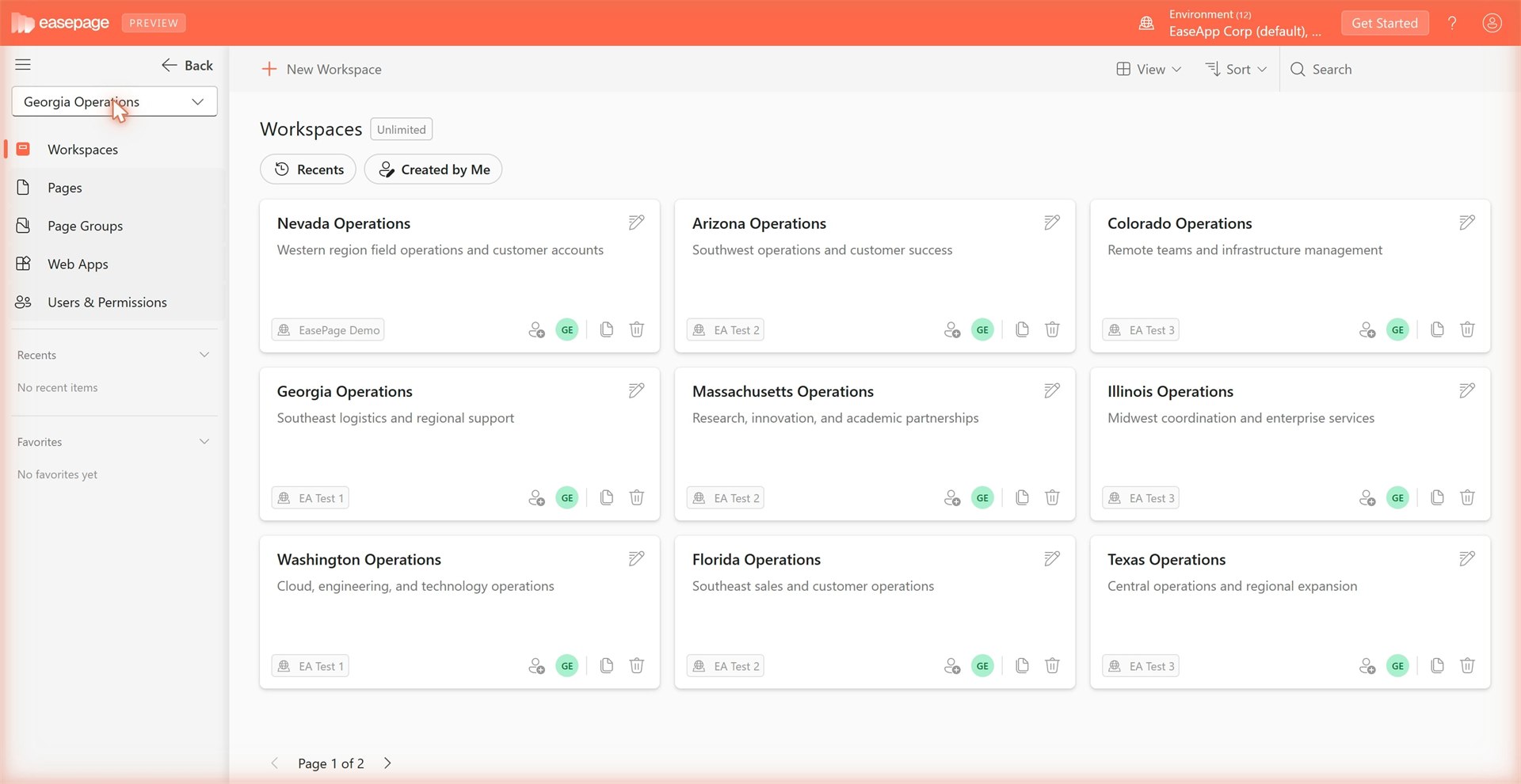
Real screens from EasePage: from building in the Maker Studio to the apps your team uses every day.
Get started
Try EasePage free for 30 days, with full access to dashboards, data grids, and the page builder. No credit card, no commitment, cancel anytime.
We’ll be in touch shortly with everything you need to start your 30-day trial.
Our email comes from hello@easeapp.ai. If it isn’t in your inbox within a few minutes, please check your spam or junk folder.